The eFactura module manages the transmission of sales invoices to ANAF and the receipt of purchase invoices received through the national system.
Module structure
From the Accounting menu, select eFactura. The module contains:
- Sales Sent — the invoices sent to ANAF, with the status of each one.
- Sales Edit — invoices ready to send and those already sent, with the possibility of correction.
- Purchases — invoices received from suppliers via eInvoice, viewable and printable.
- Settings — configuring the connection with ANAF.

Sales Sent
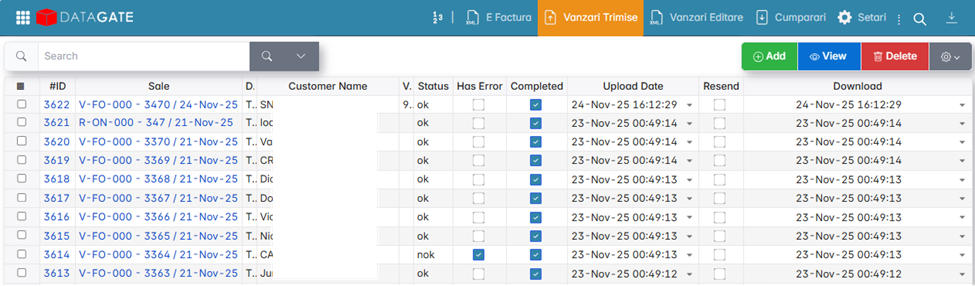
Displays all submitted invoices and their status:
- Status OK — the invoice was sent without error.
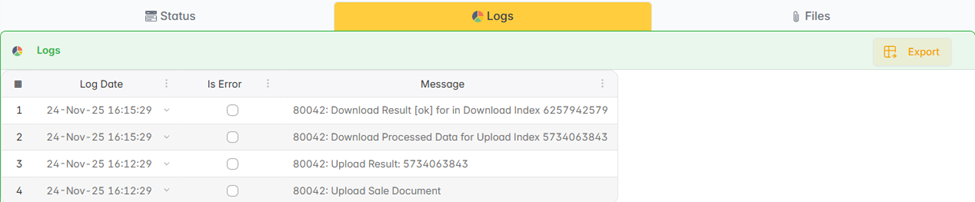
In the Logs window of the document, the indexes generated by ANAF are visible.
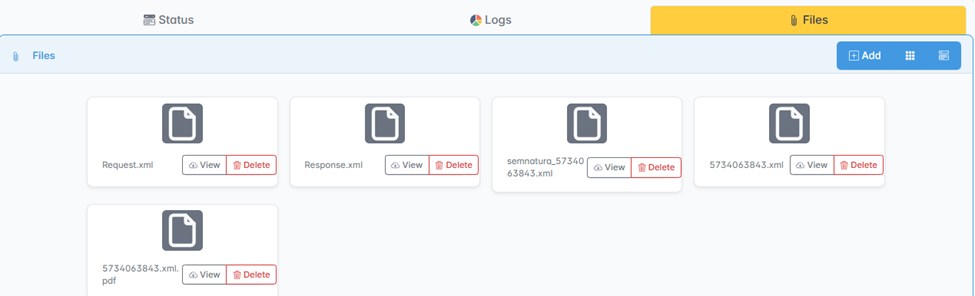
From the Files window you can download the invoice in PDF or XML format.
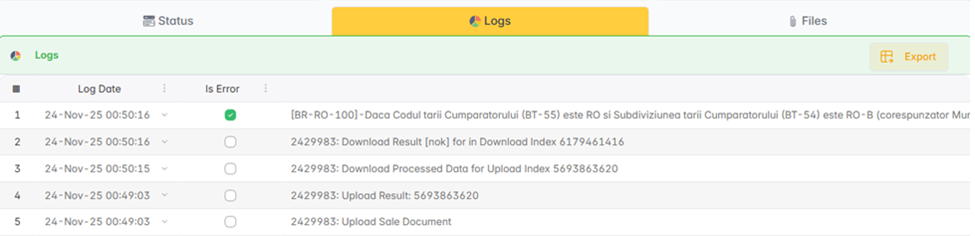
- NOK status — The invoice contains an error. The document opens and the Logs window is checked for error details.
- Completed — the check blocks the document from being resented. When the error is corrected, uncheck Completed and resubmit.
Sales Edit
Displays invoices that are ready to be sent and those that have already been sent. Corrections are made from this menu before resubmission. See Correction eFactura for the detailed procedure.
Settings
Enter the ANAF connection data: digital certificate, tax code, authentication parameters. The settings are configured only once at installation.