The inventory is created in Datagate before the scan begins. Without a document created, the scanners have nowhere to transmit the data.
Create inventory
From the Inventory menu, click Add.

To be completed:
- Warehouse — the inventoried store or warehouse.
- Date — date of inventory.
- Reference — information visible on the scanner during scanning.
- Remarks — optional.
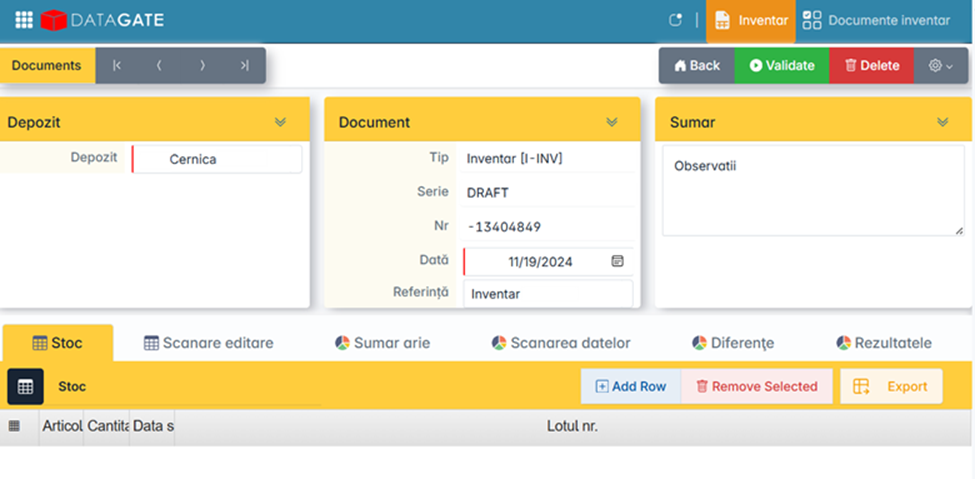
Click Back — the inventory is automatically saved.
Don't create more than one inventory per day for the same store or warehouse. If you accidentally created more than one, delete or move the date of the wrong ones before you start scanning.
Synchronization on the scanner
In the ICS scan app, press Sync to retrieve the newly created inventory on the scanner.