External acquisitions are processed through Files. All documents related to a shipment — external invoice, expenses, customs duties — are grouped in a file so that the final receipt reflects the full cost of the goods.
Purchase file
From the Folders menu, click Add and fill in the header:
- Warehouse — the warehouse where the goods are received.
- Partner — the supplier of the goods.
- Type — Folder type: Local, EU , or Import.
- Reference — invoice number or DVI (import customs declaration) number.
- Date — date of receipt.

Documents in the file
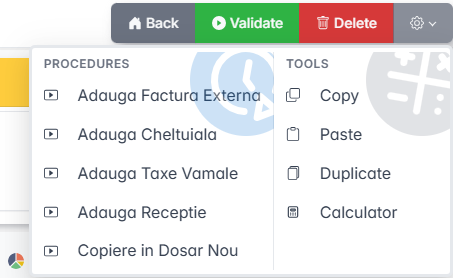
From the Settings menu of the folder, add the documents:
- Add External Invoice — the supplier's invoice in foreign currency.
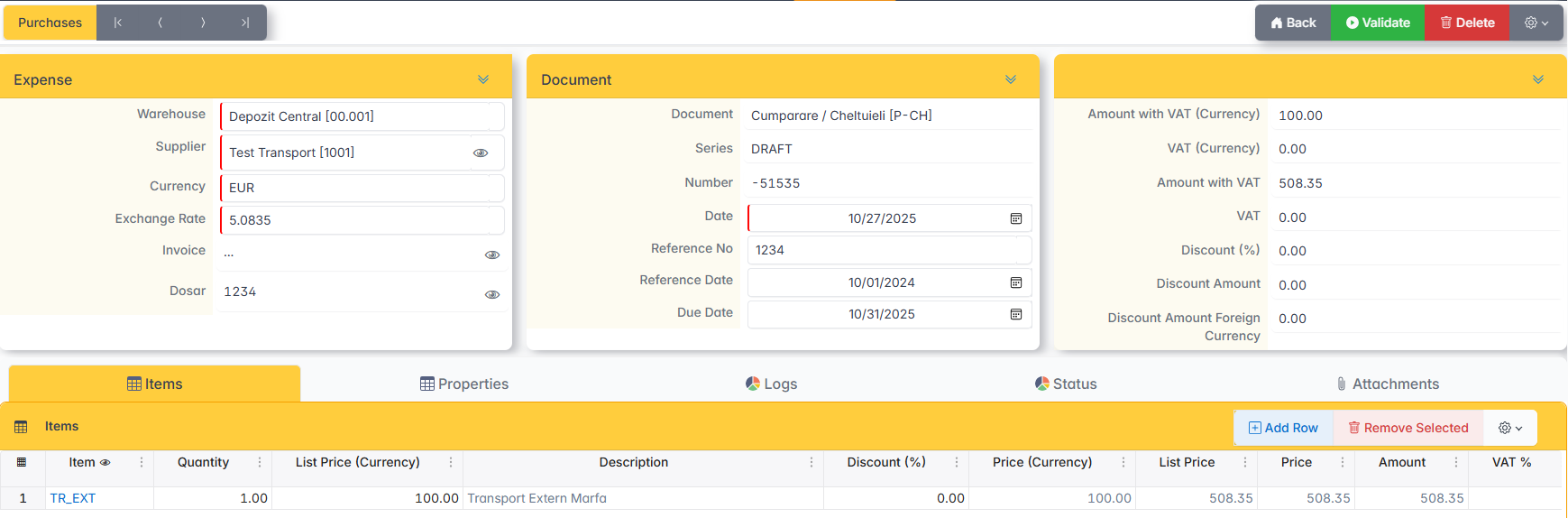
- Add Expense — transportation, services, customs commission.
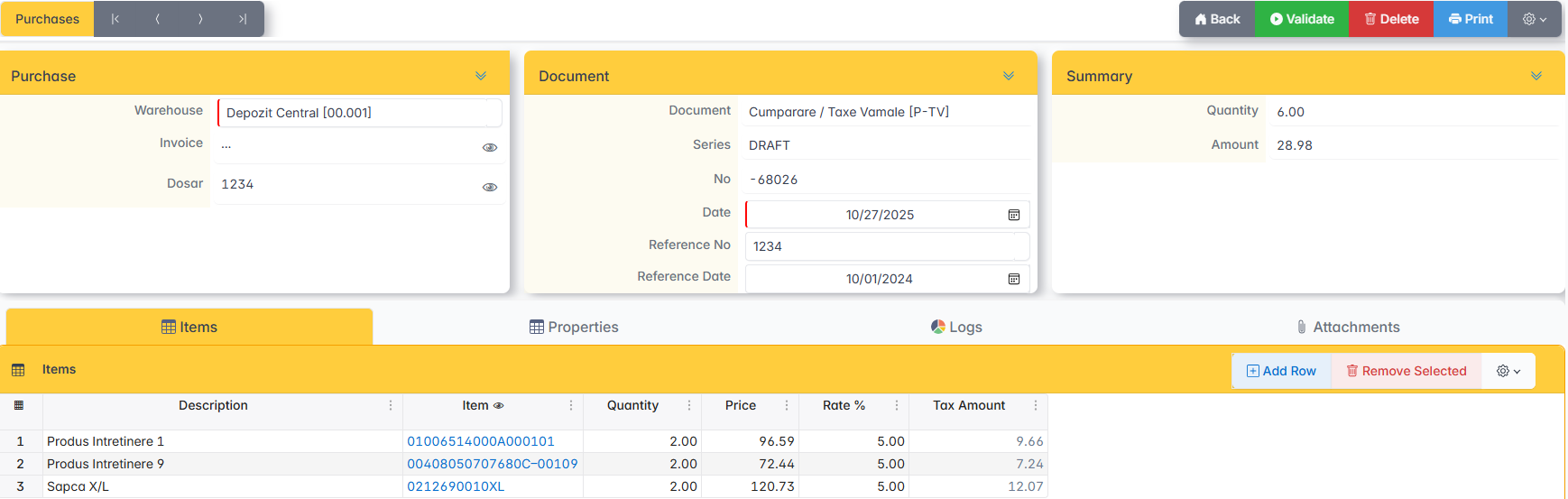
- Add Customs Duties — select the invoices to which they apply and enter the tax percentage on each item.
- Add Receipt — generates the receipt of the goods based on the documents entered in the file.
EU procurement
The folder is created with the EU type. The external invoice and related expenses are added.
Add External Invoice selects the currency and enters the exchange rate before adding the items to the document.
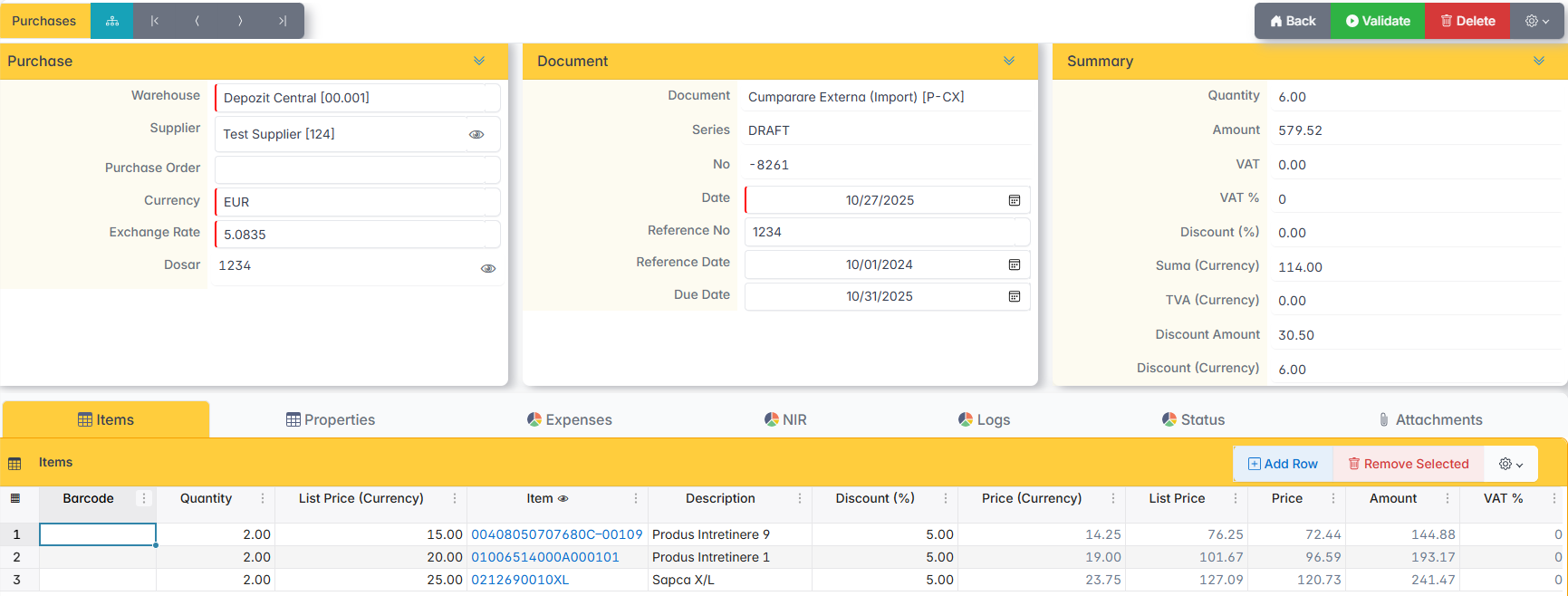
Customs duties do not apply to EU purchases.
Import Purchase
The folder is created with the Import type. In addition to the external invoice and expenses, customs duties are also added.
Under Add Expense select the related services: internal or external transport, services, customs commission.
Under Add Customs Duties , select the expenses included in the calculation base and enter the percentage of the duty on each item. The file reference will contain the DVI number.
Receipt and issuance of the file
- It ensures that all documents in the file are issued.
- Click Add Reception — a draft of the reception is generated.
- Check the reception. It is not issued manually — the file issues it.
- If everything is correct, click Validation from the folder. The receipt and the file are issued together.
An issued file can no longer be modified.
File correction
If the folder contains errors, Copy to New Folder is used. Copy the header, purchase invoice and expense invoices — the copied documents are saved in the new folder.
The wrong folder is deleted after the data has been copied. Documents in the file are canceled with deletion.