The Payments module records the amounts paid to suppliers and associates them with the outstanding invoices.
Record a payment
From the Payments menu, click Add and fill in:
- Supplier — the supplier to whom the payment is made.
- Amount — the amount paid.
- Payment method — bank transfer, cash, check, promissory note, clearing.
- Payment date — the date the payment was made.
- Reference — PO number, bank reference or other identifier.
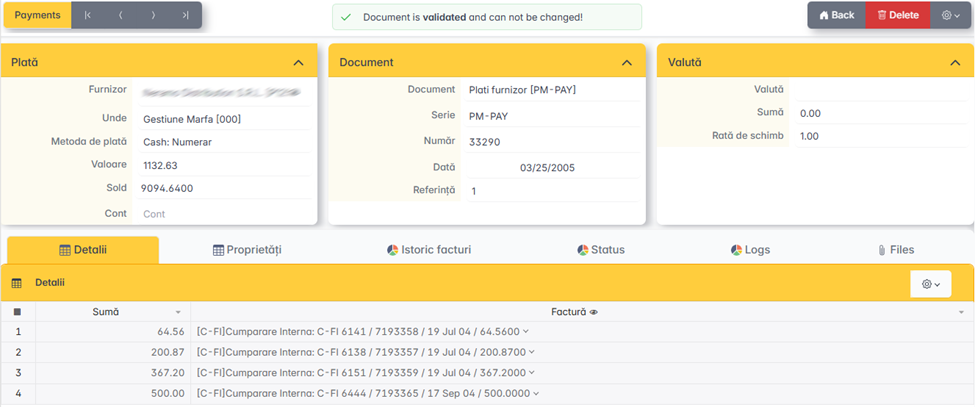
Associating with invoices
The app displays the list of the supplier's outstanding invoices. Select the invoices that the posted payment extinguishes.
A payment can partially or totally extinguish one or more invoices.
Payment methods
- Bank transfer — the payment order reference is entered.
- Cash — receipt or receipt.
- CEC / Promissory note — insert the series and number of the instrument.
- Set-off — mutual settlement between receivables and debts to the same partner.
After filling in, click Validation to issue the document.