Code breaking is done for stock items created without size.
How it works:
- Identify items that are created without size in the location.
- The sizes and the related quantity are identified.
- The code for which we want to make the break-in is inserted into the document.
- A code will be adjusted per document.
- Select the sizes and enter the corresponding quantity.
- The codes and quantities for the entered sizes are generated.
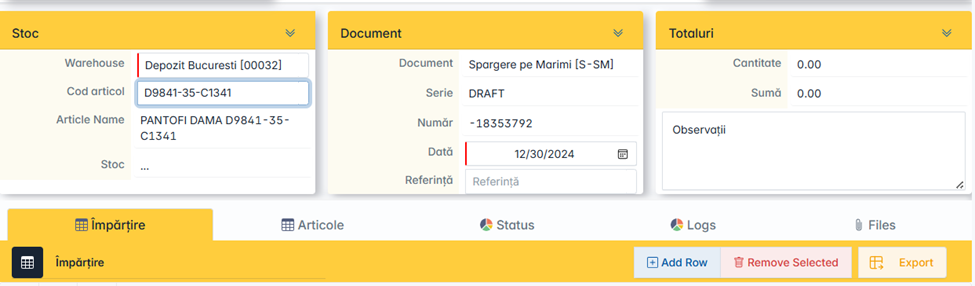
From the Movements menu, add the Break by Sizes document.
-
Select the warehouse and enter the item code for which you are breaking into sizes.
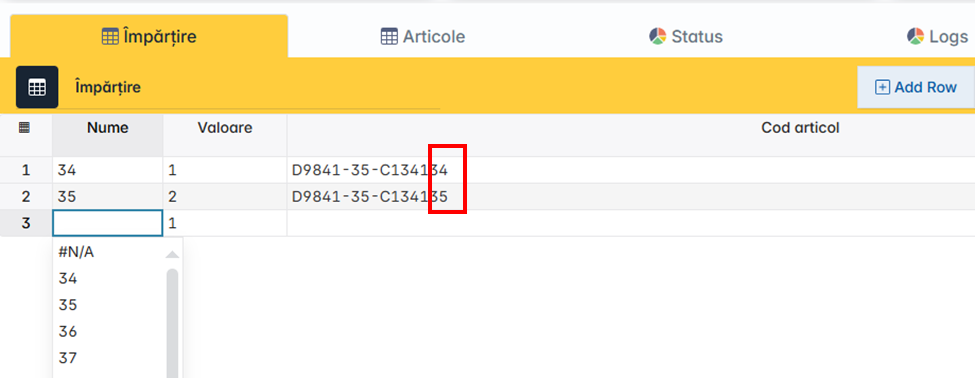
2. In the second part of the document, in the Split window, you will select the sizes for which you have stock and enter the corresponding quantity next to each size.
- Name – Item Size
- Value – the quantity is entered
- Item code – the newly created item code will be automatically populated. It consists of Old Item Code (Root) + Size. The last 2 digits represent the size.
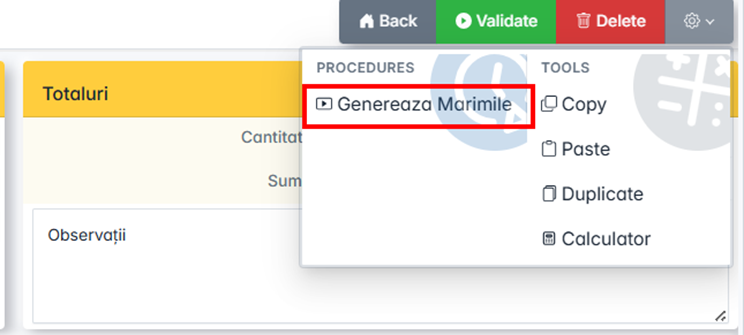
3. From the Settings menu, press the Generate Sizes key.
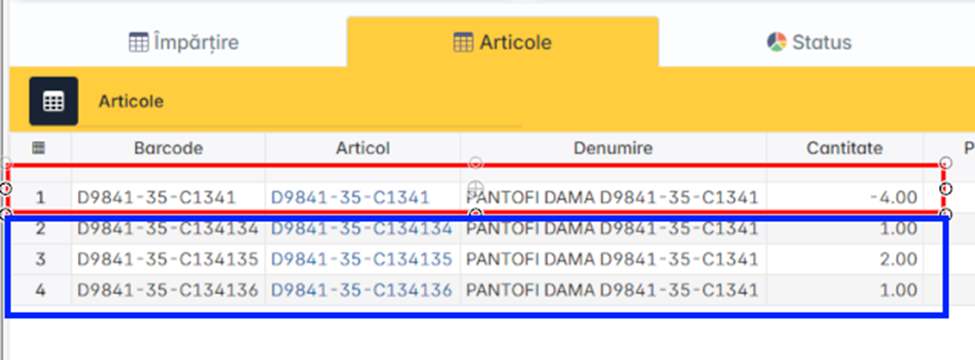
4. In the Items window, check the items and their quantities.
The item subject to code breaking will be out of stock, it will have a negative quantity. Items with size, which will replace it, will have positive quantity. The sum of the outgoing and incoming quantities is zero.
For example: we have the initial item with quantity 4 that goes out of stock and the items with size that goes into stock, +4, total quantity on size 0.
Code breaking is done at cost price.
The related cost price will be automatically added from the system.
The newly created articles will have the same classification as the original article, only the size differs.
In the nomenclature, articles can be identified by group code (root).

To issue the document, press the Validation key.
Following the validation, the stock can be checked to make sure it is correct.
Following the adjustment, the document Minutes of Adjustment of Articles can be printed.