Scanned delivery and receipt of parcels prevents transport losses — cases where goods leave partially without the difference being immediately noticed.
Why it is necessary
When preparing orders, the goods are scanned by the piece and boxed. The invoice and the shipping note are issued — the goods are taken out of stock. The courier picks up the goods later, sometimes with another employee on shift. There is a risk that one or more boxes will remain in storage.
Scanning boxes on departure and arrival eliminates this risk: the discrepancy is noticed immediately, not after the customer's complaint.
Workflow
- The goods are scanned by the piece and packed in boxes. A unique barcode is applied to each box.
- The invoice and the shipping note are issued — the goods are out of stock.
- When the courier arrives, the boxes are scanned upon delivery - it is confirmed with the list in the system.
- At the destination, the boxes are scanned upon receipt.
- The system compares the boxes handed over with those received and signals the differences.
Delivery to the courier
From the Transport – Deliveries module, open the shipping document and click Parcel Delivery.
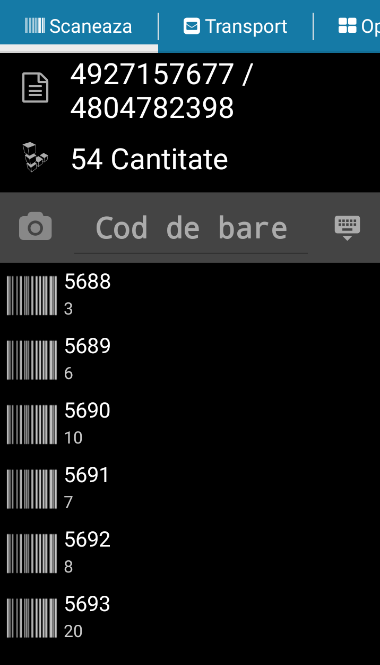
The barcodes of the boxes are scanned one at a time. Each confirmed box is marked in the document. At the end, the delivery is confirmed — the number of boxes scanned must correspond to the number in the document.
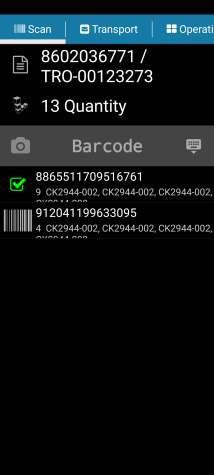
Reception at the destination
At the destination, from the Transport – Deliveries module, the corresponding receipt document is opened and Confirmation of Receipt is clicked.
Scan the boxes received. The system validates that the boxes received correspond to those handed over.
Differences and corrections
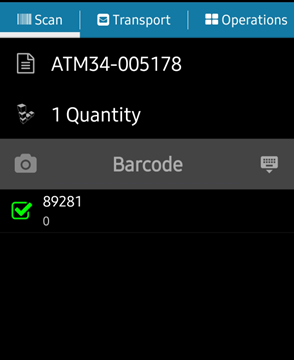
If a box has not been delivered or has not reached its destination, the system signals the difference.
Missing boxes can be tracked by the AWB number associated with that package.