The Courier module manages the relationship with courier companies — from configuration to automatic tracking of the status of each delivery.
Courier configuration
From the Courier Settings menu, click Add and enter the courier company's data.

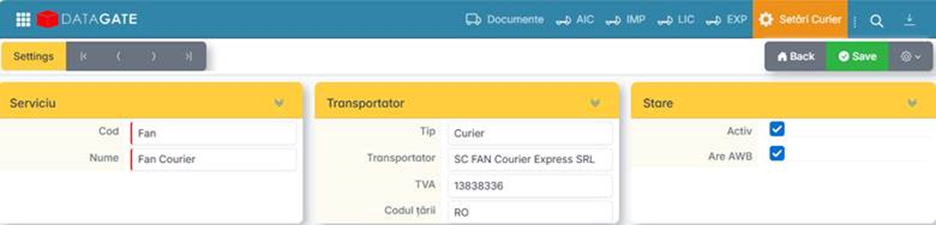
If the courier issues AWB number, Has AWB is checked.
Generate AWB
The AWB is generated directly from the sales document — invoice, shipping note or scan. The recipient's data (address, contact person, telephone) are automatically retrieved from the document.
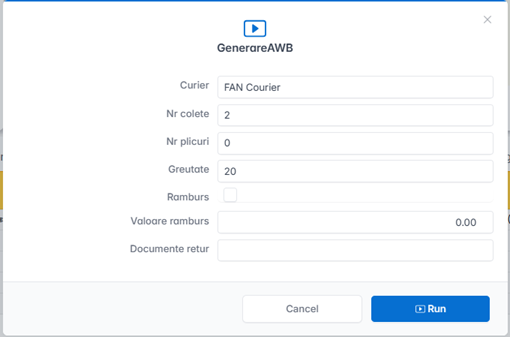
When generating, the following are configured:
- Courier — the selected courier company.
- Cash on delivery — amount to be collected on delivery, if applicable.
- Documents to be returned — invoices or other documents that are returned by courier.
- Number of parcels — how many parcels the shipment contains.
- Weight — from items or manually entered on the scanner.
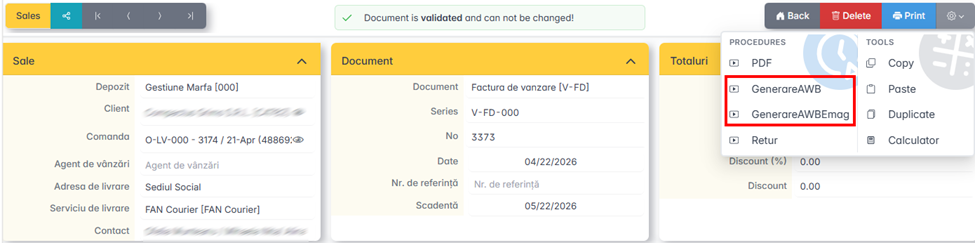
The generated AWB is automatically attached to the source document.
Slip and pick-up
After generating the AWBs, the system automatically creates a slip (centralizer) with all the packages ready for pickup.
The slip is sent to the courier and triggers the pick-up call.
[SCREENSHOT: List of AWBs and pickup status]
Delivery tracking and closure
The system automatically queries the courier at regular intervals to retrieve the updated status of each parcel.
Possible statuses are visible directly on the document and in the list of shipments:
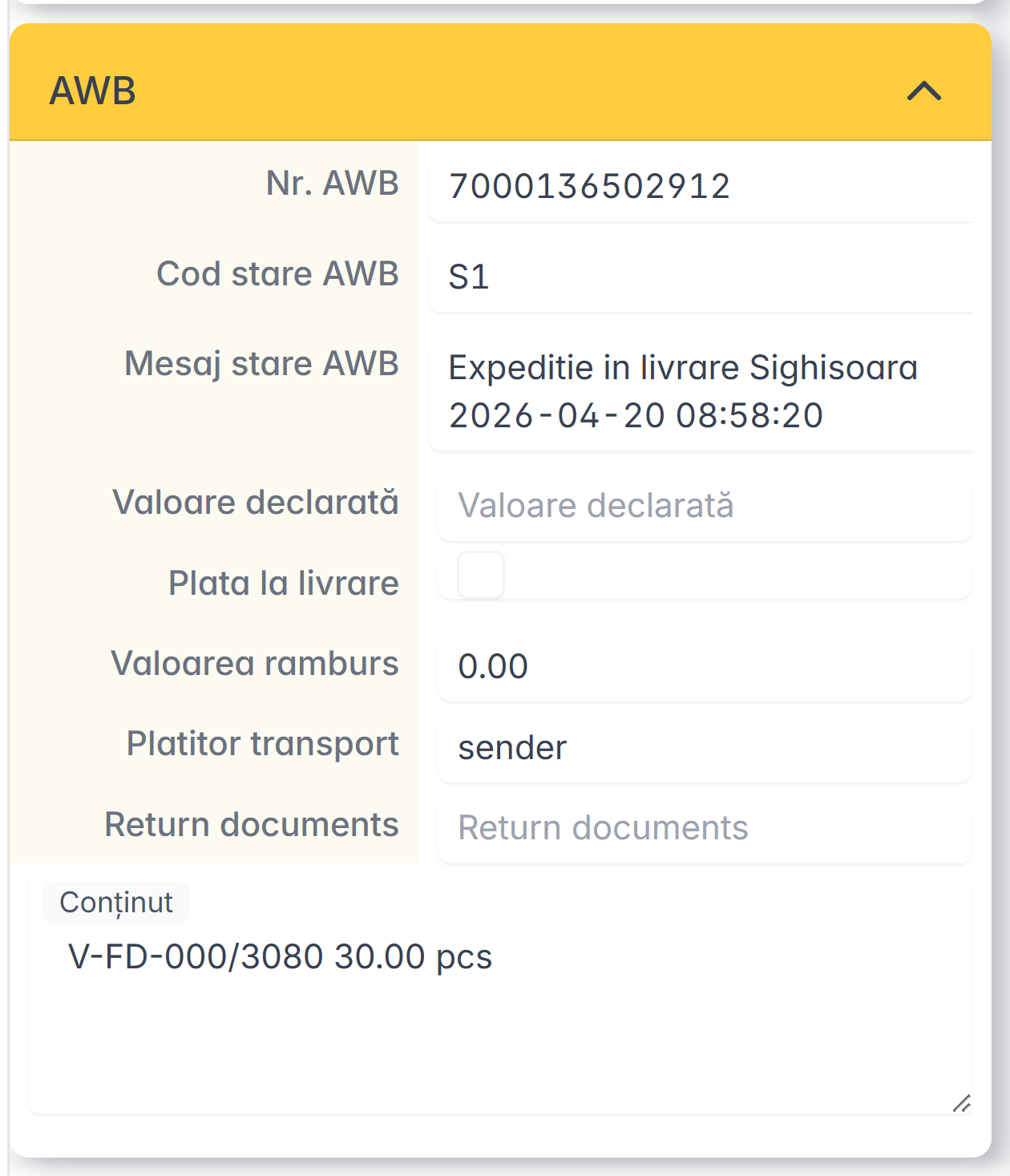
When the parcel has been delivered, the delivery closes automatically.