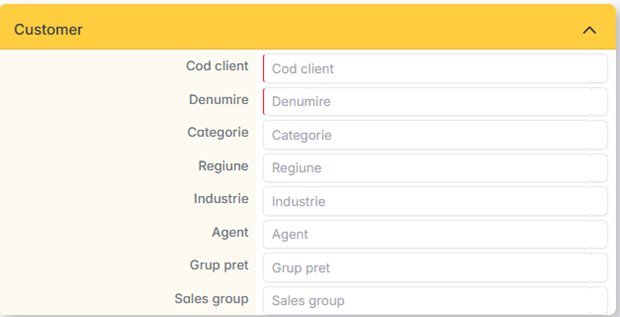
The Customer Menu centralizes information about business partners: identification data, addresses, business conditions and contact persons.
Create a new customer
- From the Customers menu, click Add.
- The Fiscal Code (CUI/CIF) is completed. The app can automatically retrieve the name and address from the public registers.
- The following are checked and filled in: name, registration number with the Trade Register, address of the registered office.
- The customer card is saved.
The commercial settings in the customer file are automatically taken over when creating documents (orders, invoices, etc.).
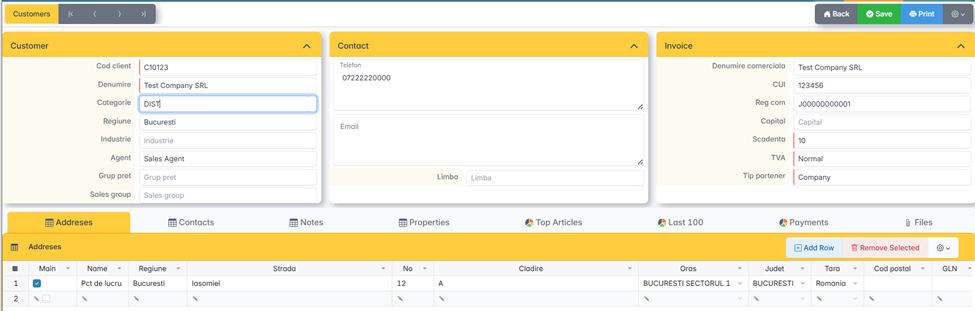
Addresses
Each customer has a list of addresses that can be delivery, work points or registered office. The address marked as Primary is the billing / registered office address.
Each address has a name/label that can be used to easily identify the delivery point (e.g.: Zalău Factory).

Contact
The contact list contains the people associated with the customer, with phone and email. Contacts can be used in the invoice/AWB to indicate the contact person or the person who requested the quote/order.
Note
Various observations on the client, accessible from the client's file.
Customer Classification
Customers segment for reports and commerce policies
- Price Group — Small Customers, Medium Customers, Distributor, Onliner. It's important — being used in pricing policies.
- Category, Region, Industry — for segmentation in reports.
- Sales Group, Assigned Agent — for commercial assignment.