Two customers with the same identification data but different codes unify by moving all transactions to a single code.
Select Destination Client
Open the Customers menu and select the correct customer — the one you want to keep and the one you want all transactions to keep.

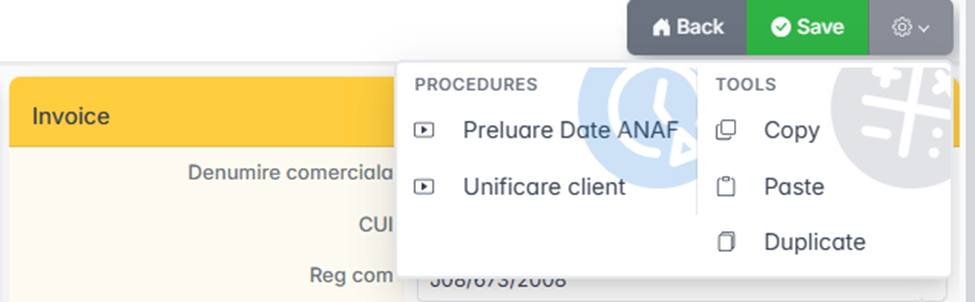
Open the client card, click Settings (top right), and select Client Unification.
Move transactions
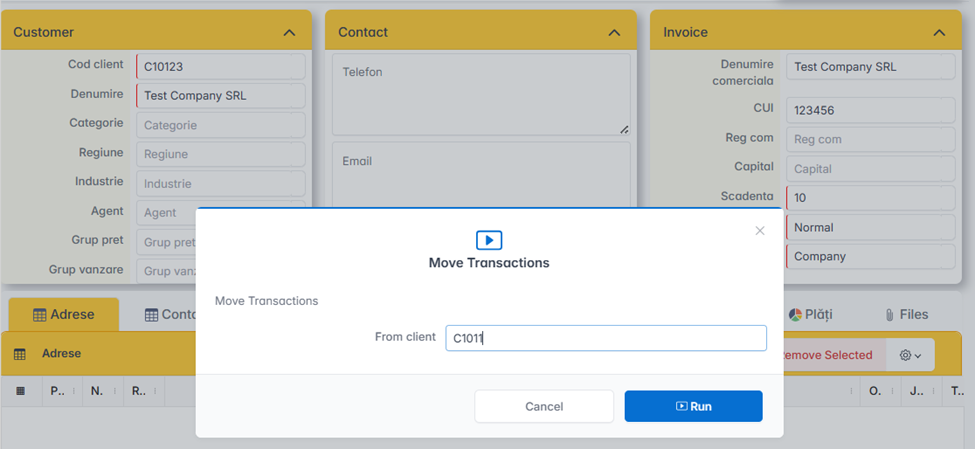
The Move Transactions window opens. You enter the duplicate customer ID — the one whose transactions need to be moved.
Example: You move transactions from C1011 to C10123. The app moves all transactions and automatically deletes the C1011 client.