The client nomenclature can quickly become overloaded if each online transaction creates a new position. Business Essentials allows you to store customer data directly on the document, without entering the nomenclature.
Issue
The most common case: selling online. The customer places an order — with or without an account on the website, with a delivery address, an email, a phone number. The application automatically creates a customer in the nomenclature, a customer code, an accounting account.
The same customer can buy next time without an account, at another address, with another email. Another position in the nomenclature. Same man, three different codes.
The result: a database of tens of thousands of unmanageable single-transaction customers with duplicates and unused accounting accounts.
Solution — client per document
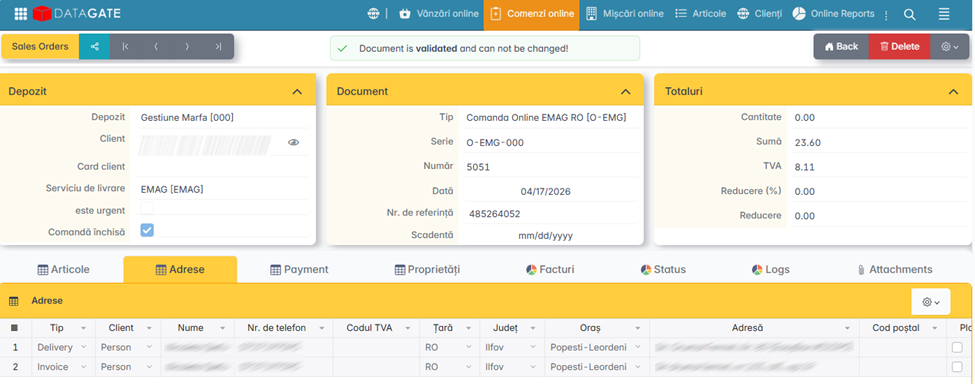
Datagate BE can keep customer data exclusively on the document (order or invoice), without creating a position in the nomenclature. Your name, address, contact details, and tax details are saved per transaction and used for invoicing and shipping.
Only B2B customers remain in the nomenclature — firms with which there is a repeated commercial relationship, balance tracking and negotiated terms. The database remains clean, airy, and manageable.
<!-- SCREENSHOT: Comparison Nomenclature With Customers Per Transaction vs Clean Nomenclature With Only B2B Customers -->
How to use
The configuration is done at the level of the document type. A document type marked as "customer on document" does not require the selection of a customer from the nomenclature — the data is filled in directly in the order or invoice.
<!-- SCREENSHOT: of a document with the customer fields filled in directly, without selection from the nomenclature -->
When importing from e-commerce platforms, the customer's data is automatically taken from the order and stored on the document. No position is created in the nomenclature if the document type is configured accordingly.
Transactional history and balance tracking exist only for clients in the nomenclature. Customers per document don't appear in balance reports or analytics per customer.