In the management app, the items represent the basic elements of the stock. Each item is defined by name, unique code, and specific characteristics. The classification of items is done by categories and subcategories, for efficient organization and quick identification. Prices are centrally managed, with the possibility of setting different values depending on the type of sale (wholesale, retail) or the commercial policy applied. Thus, the system ensures transparency, control and flexibility in the management of stocks and transactions.
UI
Items can be viewed in the Items menu.
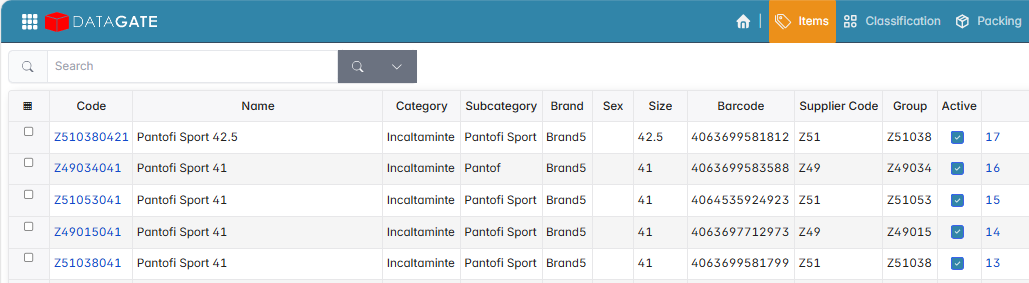
To access the details (classification, prices, barocode) click on the item code.
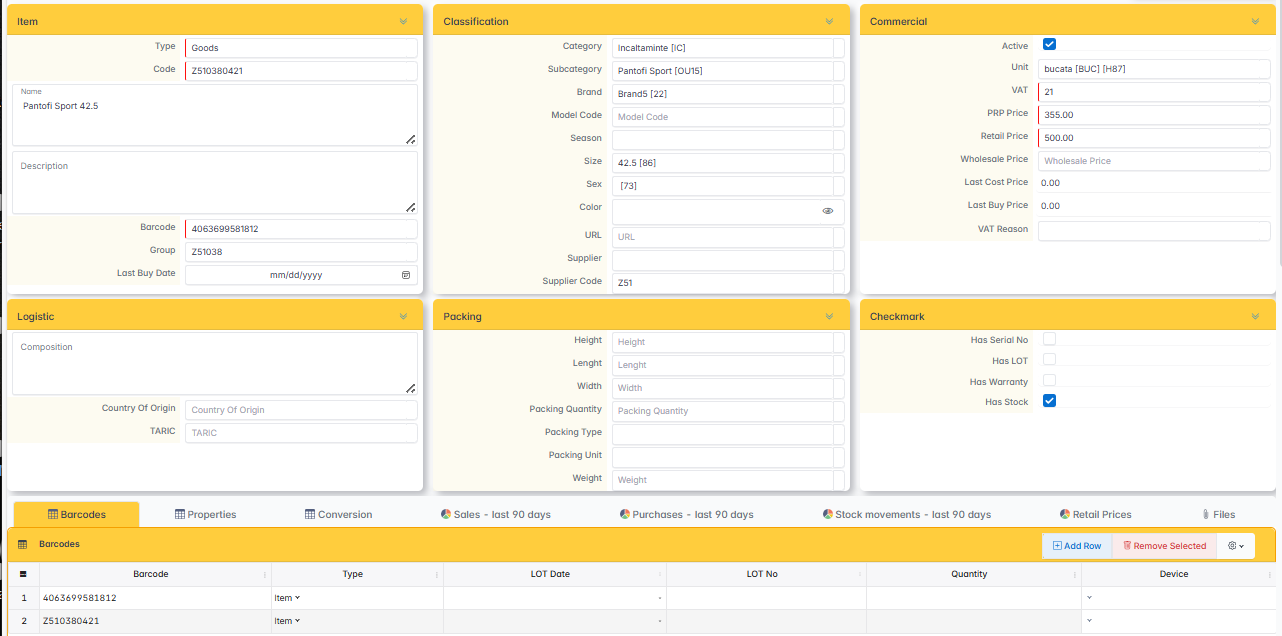
Item type
The guy determines what the article is used for and how it behaves in the documents.
- Merchandise — an item with stock, bought to be sold.
- Services — services, out of stock (consultancy, transport, labour).
- Spare parts — components used in service or under warranty.
- Bundles — items composed of several components, sold as a unit.
- Consignment — goods of the supplier in the company's stock, but not in the property, invoiced at the sale.
Barcodes
An item can have as many barcodes. One is marked as the main one — the one that is printed on labels and documents.
Each barcode can have an associated quantity. When scanning, the scanned quantity is multiplied by this value. Useful for packaging: one code for the box = 12 pieces, another code for the box = 144 pieces. You scan the box, the system knows that 144 pieces have come in.
Units of measurement
The article has one main unit of measurement. You can define conversions to other establishments used in other contexts — purchase, delivery, reporting.
Conversion example:
- 1 bag = 20 kg
- 1 linear meter = 380 square cm (fixed-width materials)
- 1 box = 12 pieces
You buy in bags, sell by the kg, without manual calculations.
Related articles
An item can have relationships configured with other items:
- Accessories — items suggested for sale by the main one (bracelet on the watch, cable on the phone).
- Spare parts — components used in service.
- Components — the items that go into a package.
- Alternatives — replacement items when the main one is missing.
Features
Checkmarks configure the item's behavior in stock and documents.
- It has Stock — the system calculates stock only for checked items. The services are out of stock.
- It has Serial No — the sale is only made with individual series. Each series has quantity 1 and is unique. Typical for electronics, individual warranty goods.
- It has a Warranty — the item is tracked by warranty period, linked to the customer.
- It has a lot — the item is tracked on batches with an expiration date (food, pharmaceuticals).