The return can be created in two ways:
From the initial invoice
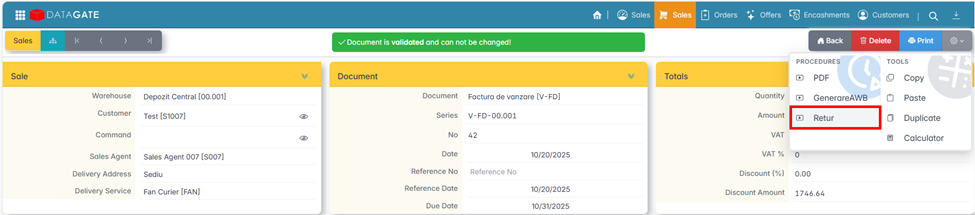
- Open the original sales invoice.
- Press Return.
- The application automatically generates the return document in draft status, with the items and prices taken from the original invoice.
- Open the generated document, check or adjust the quantities (for partial returns) and issue.
New document
- From the list of documents, click Add and select the type of return document (for example, V-RD – Return Invoice).
- Fill in the customer and, if available, select the original invoice — the app automatically brings the items from it.
- If the original invoice is not selected, the items are entered manually.
- Check the data and issue the document.
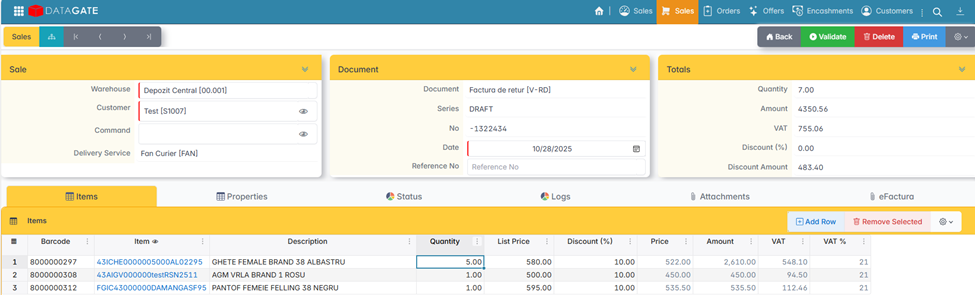
The document type determines the flow in which the return operates (distribution return, online return, etc.) and its specific configurations.
The quantities in the return document are always entered positively. The document sign and the behavior in inventory (goods receipt) are automatically determined by the document type.
Where possible, select the original invoice to which the return is made. This ensures full traceability and allows the app to automatically retrieve the original items, quantities, and prices.