Online returns are registered against the invoice issued on delivery. The procedure is similar to the B2B return, with the type of document specific to the online channel. A special case is when the return request is registered on the website and imported as such.
Creating the return
From the invoice — the recommended method:
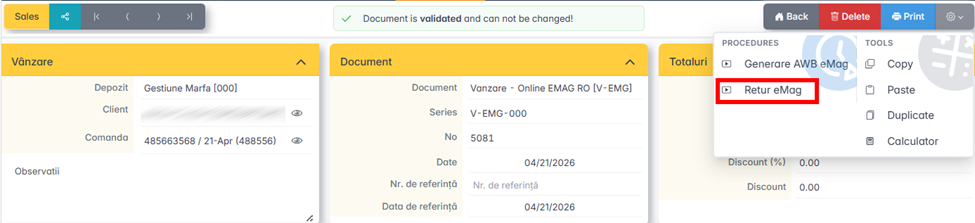
- Open the online invoice to which the return is made.
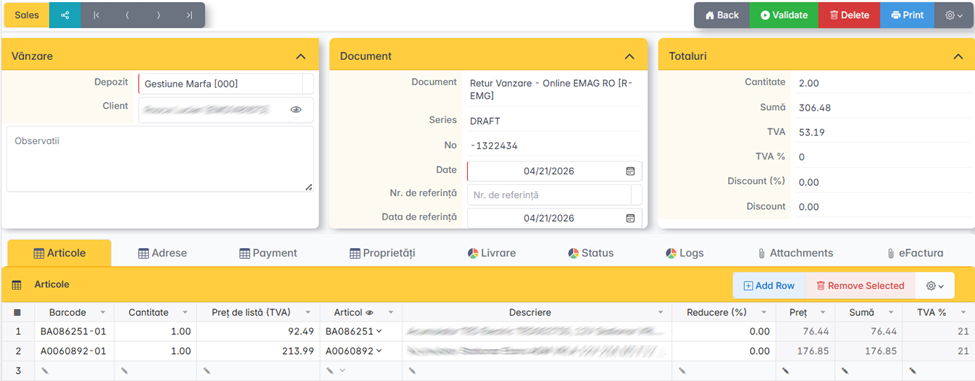
- Press Return. The app generates the return document with the items and prices picked up automatically.
- Check the quantities and issue the document.
New document — when the invoice is not directly accessible:
- From the list of documents, click Add and select the type of online return document.
- Fill in the customer and, if available, select the original invoice.
- If the invoice is not selected, the items are entered manually.
- Issue the document.
Partial return
If the customer returns only part of the order, they adjust the quantities in the automatically generated return document before issuance. Quantities are always introduced positively.
Return from
If the online platform