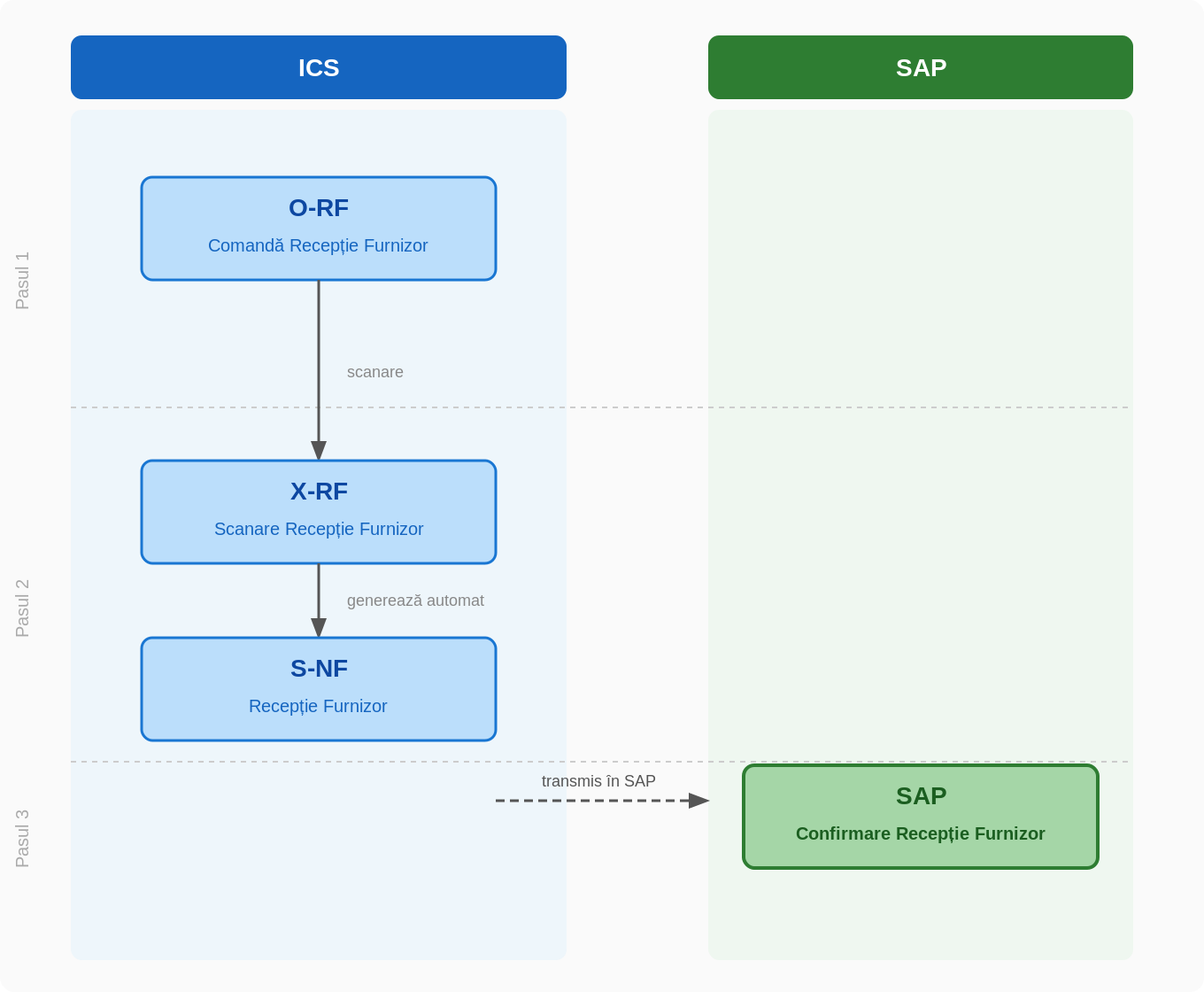
The flow describes the process of receiving the goods received from an external supplier, from the creation of the order in ICS to the confirmation in SAP.
Flow stages
Step 1 — Create Receive Order
The O-RF receive order (Supplier Receiving Order) is created in ICS.
Step 2 — Scan and generate stock document
The O-RF document is scanned, generating the X-RF (Scan Receive Provider). When issuing the scanning document, the system automatically generates the final stock document: S-NF (Supplier Reception).
Step 3 — Confirmation in SAP
The S-NF document is transmitted from ICS to SAP as acknowledgment of receipt.