Purpose
Box reception shortens the reception time for boxes whose source is safe — for example, boxes prepared on the belt in the central warehouse. If the boxes are intact on visual check, they can be placed directly in stock without being opened and without individually scanning each item inside.
The contents of the box are already known to the system (it was scanned at the box in the warehouse). By scanning the box label, all items in it are automatically received.
Workflow
1. Access
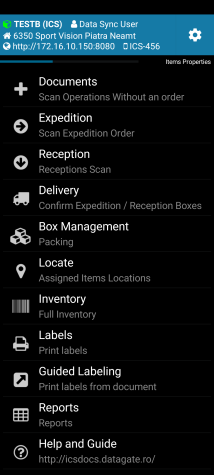
The boxes are checked from the Transport/Delivery menu at the time of pick-up from the carrier or courier. From the Delivery menu you can get the list of delivery documents.

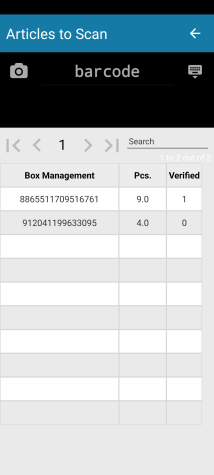
2. Box Scanning
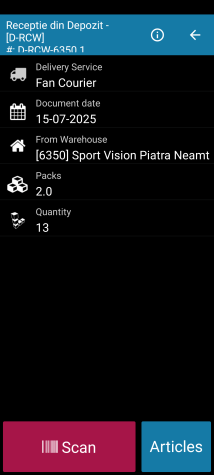
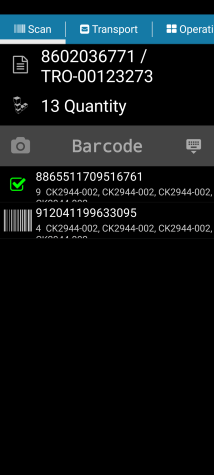
The Scan tab displays all the boxes included in the delivery. Scan the labels of the boxes one by one. Scanned and confirmed boxes are marked in green on the scanner screen.
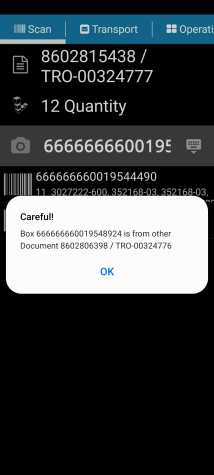
Only known boxes are accepted. If a box that does not belong to the current delivery is scanned, the scanner displays an error message.
Only known boxes are accepted.
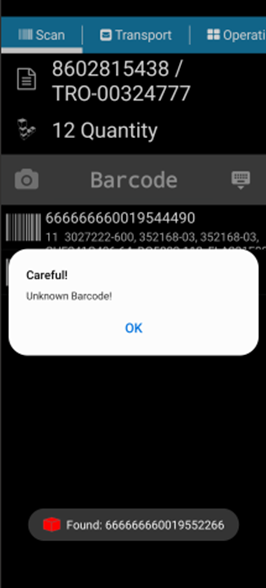
If a box that does not belong to the current delivery is scanned, you will receive an error message.
3. Issuance of document
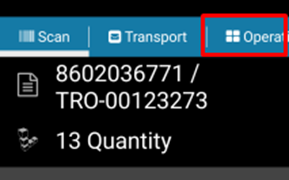
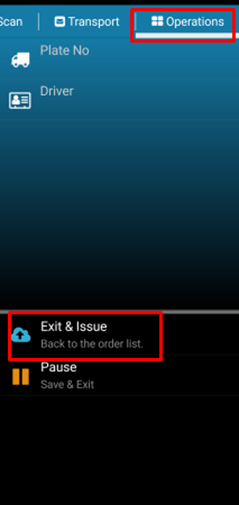
Once all the boxes in the delivery have been scanned, access the Operations menu at the top of the screen and issue the receipt document.