Available operations
ICS covers all types of in-store and warehouse scans. Each operation has its own logic and restrictions, but the scanning interface is consistent — the Scan, History, Information, and Operations sections work the same in all cases.
The pages in this section detail each type of operation.
Guide
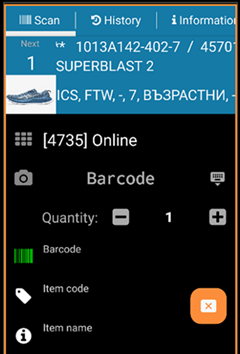
Shipping orders are guided — the program tells the operator which item to scan, in what order, and in what quantity. Free receptions and scans are not guided.
The guidance includes information about the item: code, name, assigned locations, category, and subcategory. Optionally, photos of the items can also be uploaded for visual identification.
The order of guidance is established by: priority location, category, subcategory. The operator can decide to skip an item (move it to the end) or skip all items in a category — for example, if a category is in a different area of the warehouse and prefers to process it separately.