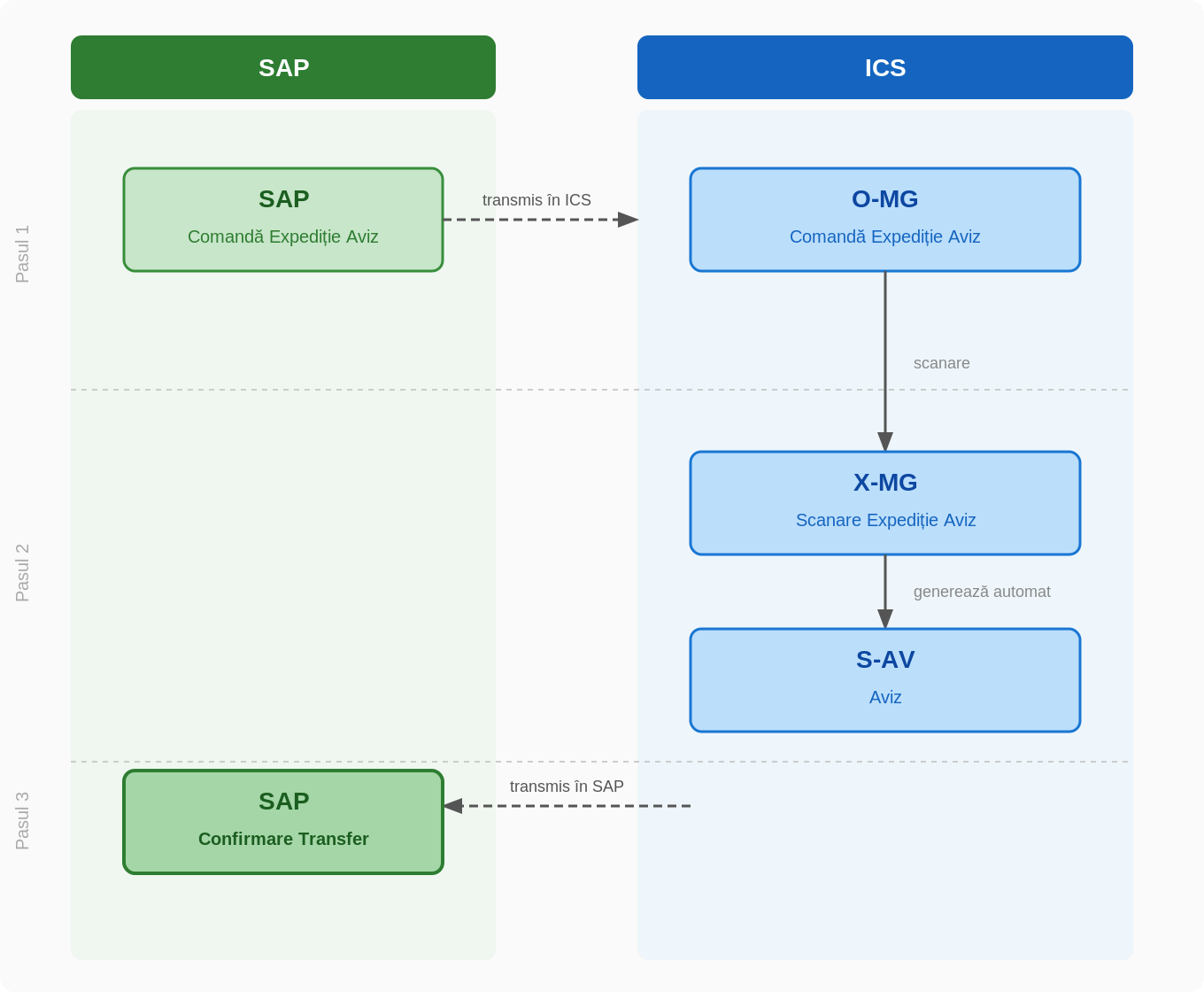
Step 1 — Order from SAP
SAP issues a shipping order notice. The document automatically appears in ICS as O-MG (Shipping Order Notice).
Step 2 — Scan in ICS
The operator opens the O-MG on the scanner and scans the parcels or items to be transferred. Upon completion, ICS automatically generates the X-MG (Scan Shipment Notice) document.
Step 3 — Generate a review
From the X-MG the S-AV (Shipping Notice) is generated. The document confirms the transfer and can be printed or sent to the recipient.