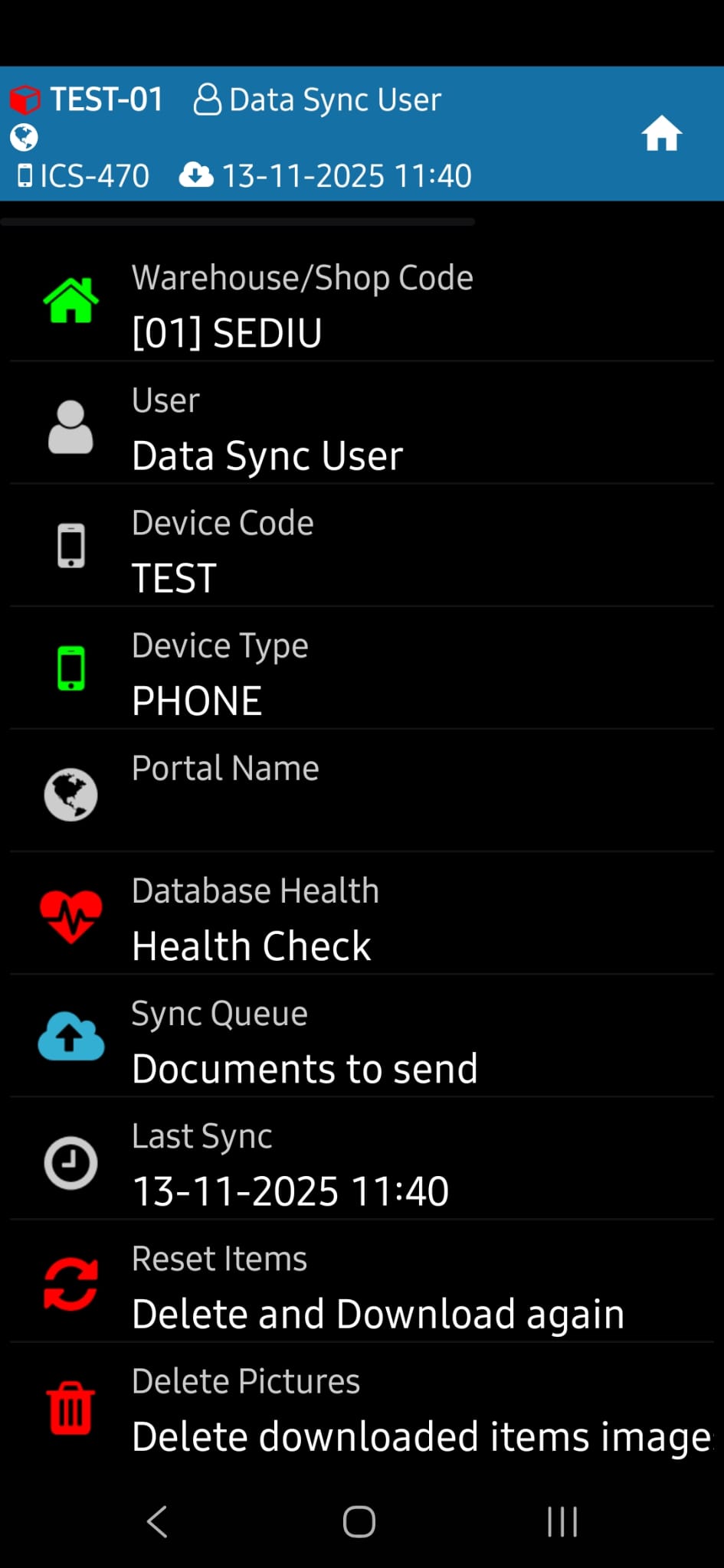
Device Menu
Changing the repository and other configuration options are available in the Device menu:
Change Warehouse — Press the Warehouse/Store Code key and select the desired warehouse from the list. Useful when the same scanner is used in different locations.
Device Type — changes the scan settings depending on the scanner model used.
Documents to Send — Checks for pending documents that haven't yet been sent to the server. Useful after periods of offline work or when the connection has been unstable.
Item reset — completely reloads the list of items and prices on the server. It is used when items or prices have not updated through normal synchronization (for example, during campaigns with massive price changes) or when an item has a wrong barcode that has been corrected in Datagate.
Delete photos — frees up storage space on your scanner by deleting downloaded photos for guidance.