What is it
This flow facilitates returns between different companies. A product purchased from one company can be returned to another company — a common situation in groups of companies that operate stores under the same brand.
The main rule: the value of the products offered instead of the returned one must be at least equal to the value of the returned product. The operation does not allow the return of cash to the customer — the value of the return is paid in the form of an Intercompany Voucher in the new sale.
How it works
1. Open Extra Tools menu
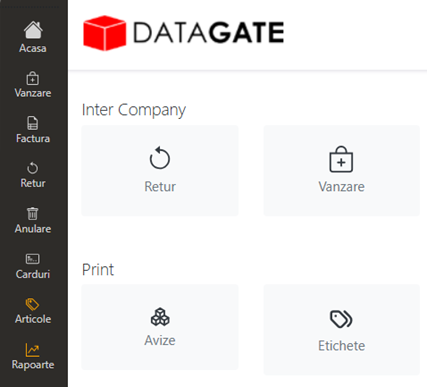
From the main menu, the Extra Tools Menu opens. Two operations are available: Return (for the return itself) and Sale (for the sale of new products instead of returned ones).
2. Return
Press the Return key in the Extra Tools menu. The return is made according to the standard procedure:
- Fill in the search window with the data of the original tax receipt (or scan the barcode on the receipt)
- If there are several items on the receipt, the ones that are not returned are deleted from the window
- Fill in the billing data and click Finish & Print
- A return invoice is printed — on the original company, the one the customer bought from
3. Intercompany Return Sale
Press the Sell key in the Extra Tools menu.
- Fill in the search window with the data of the return invoice issued in the previous step (or scan the barcode on the return invoice)
- Click Search Document — opens the new sales window (receipt)
- The sale is made according to the standard sales procedure
- The purchased products must have a value equal to or greater than the value of the return
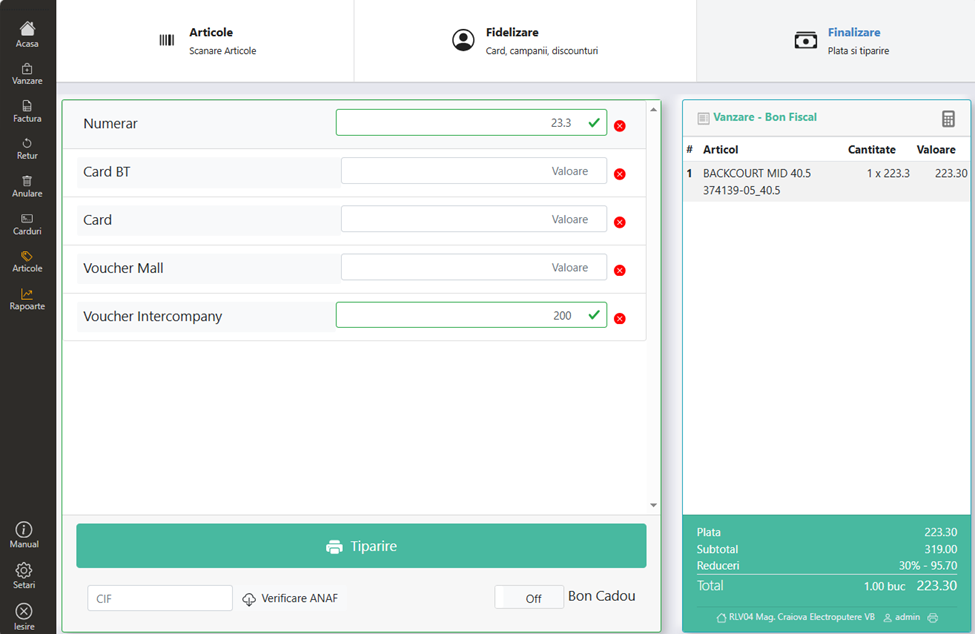
- Payment method: the return amount is automatically passed as an Intercompany Voucher; the difference (if new products are more expensive) is selected cash or card
- Click Print to complete