The procedure is used to change an item on a receipt with the same type of item but a different size or color.
1. Search for tax receipt
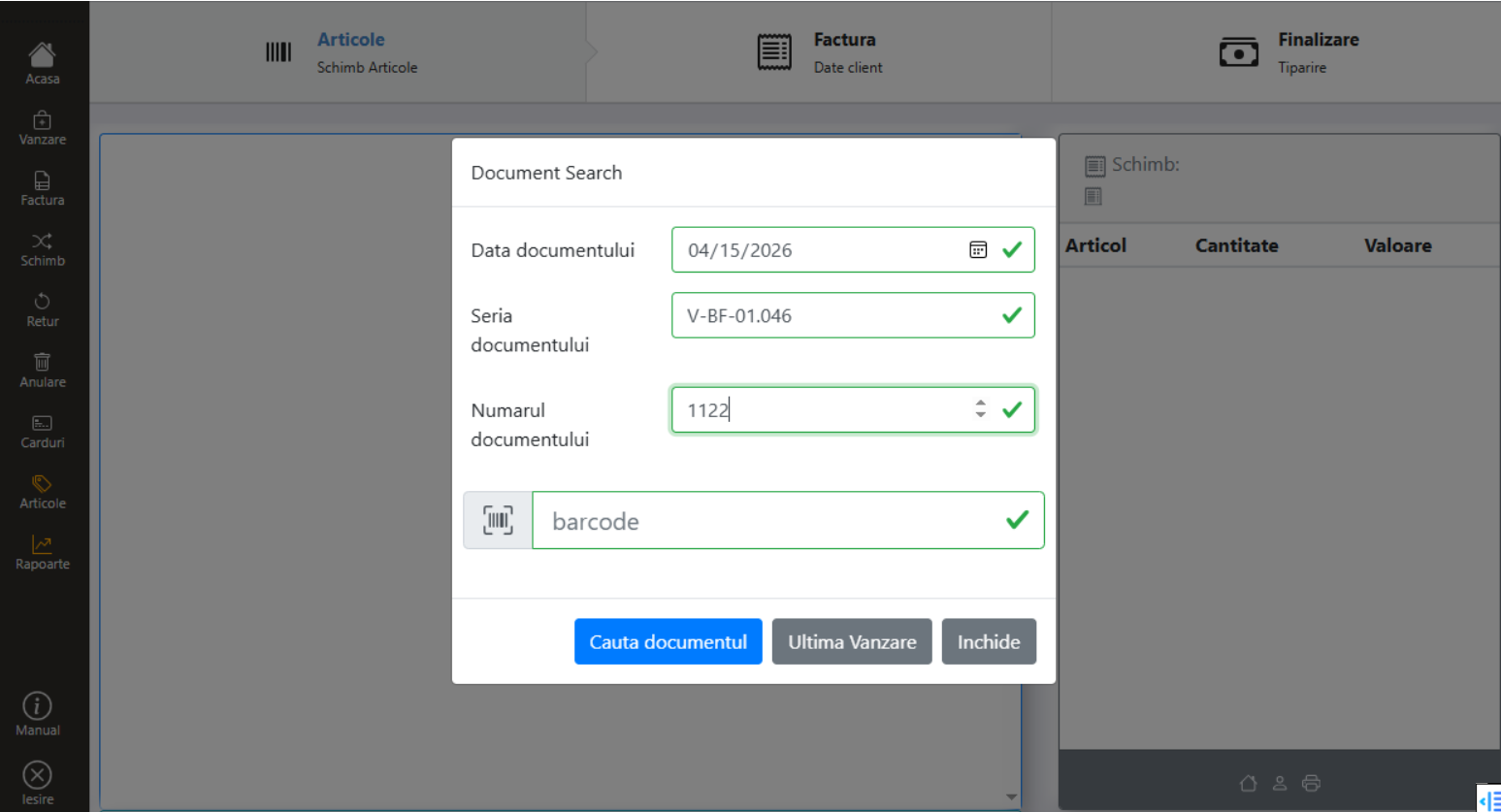
Press the Shift key from the main menu. In the search window, enter the data of the tax receipt (date, series, number) or scan the barcode on the receipt. To exchange the last sale, click Last Sale.
Click Search for Document.
2. Spare Item Selection
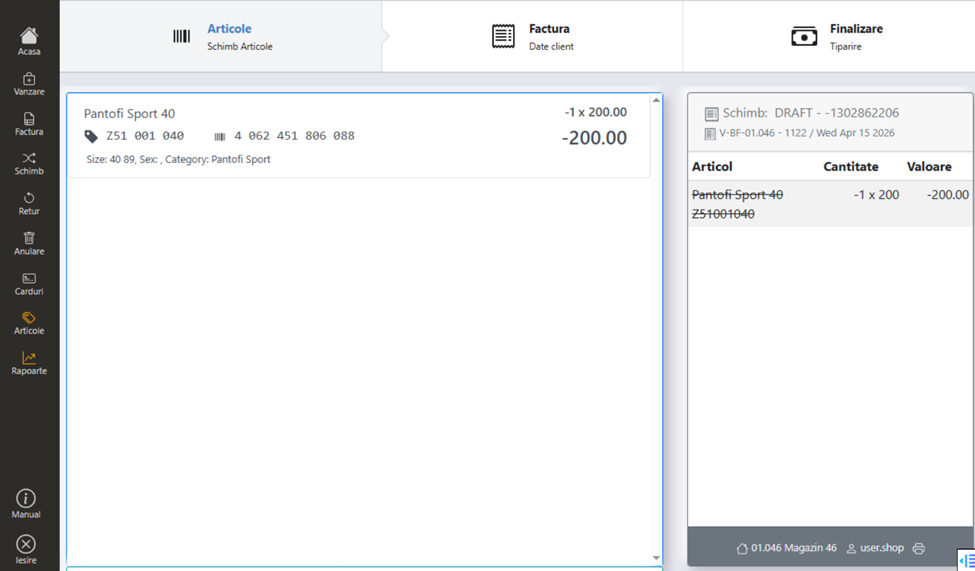
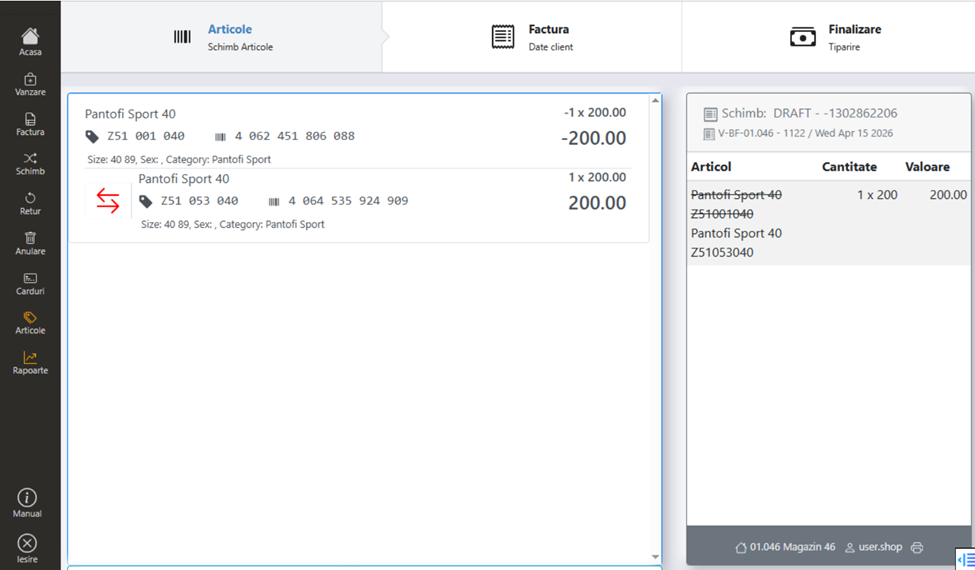
The item to be returned (the one on the original receipt) is displayed in the right window, highlighted with a cut line.
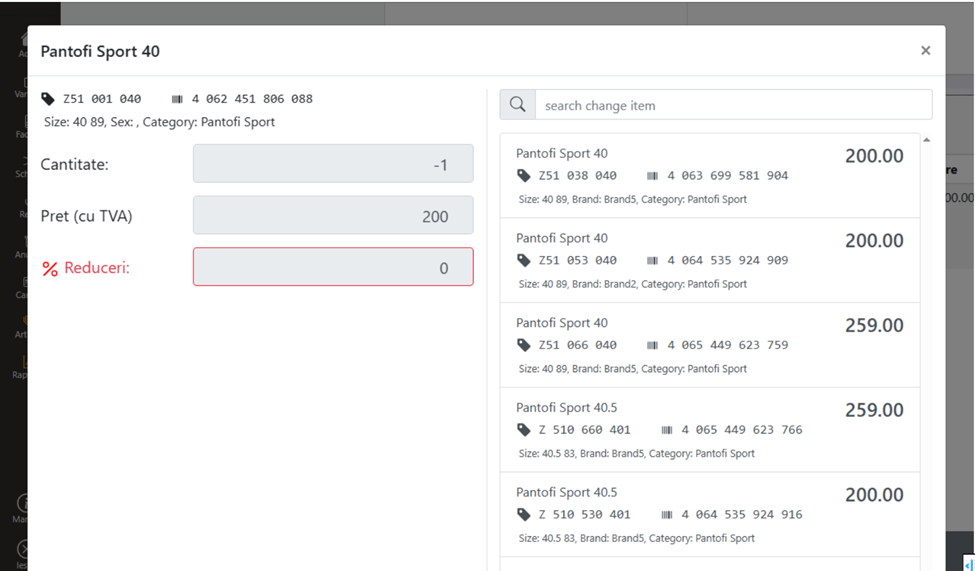
In the main window, the items proposed for exchange — variants of the same product (other sizes, other colors) are displayed. Select the item to be traded with.
3. Filling in billing data
Fill in the billing data — individual (name, county, locality) or legal entity (CUI with ANAF Takeover, county, locality, bank, account).
4. Completion
The default payment method is cash — the customer pays the difference if the new product is more expensive, or receives change if it is cheaper.
Click Finish & Print to issue and print documents.